
Blog / People and Culture Blog
Sales Order GST Tax Category Setup for Sales Order Transaction
Sales Order GST Tax Category Setup for Sales Order Transaction
I will try to explain about Sales Order GST Tax SETUP using Oracle Financial for India and will do a simple Sales Order Transaction using that GST Tax Item.
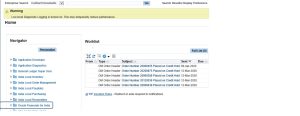
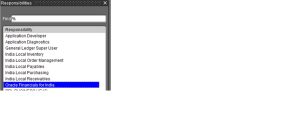
Select Oracle Financials for India Responsibility
Navigation : Oracle Financials for India
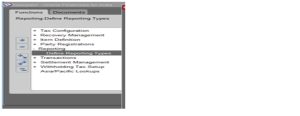
Create a New Reporting Type for 18% Tax Rate. Reporting Type Name INTERSTATE18 and INTRASTATE18
Navigation : Oracle Financials for India ->Reporting -> Reporting Types
Reporting Type Name INTERSTATE18 and INTRASTATE18 created.
Create Third Party Reporting Code and Assign the Reporting type name to the Third Party Report Code.
Navigation : Oracle Financials for India ->Reporting -> Reporting Types -> Create Third Party Reporting Code
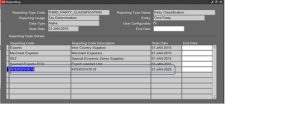
Assign Third Party Reporting Type Name : INTERSTATE18
Next Create Customer Third Party Registration.
Navigation : Oracle Financials for India -> PARTY REGISTRATION -> DEFINE THIRD PARTY REGISTRATION
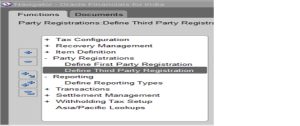
Assign the Third Party Reporting Code (INTERSTATE18) to Customer Third Party Registration.
ENTER THIRD PARTY REGISTRATION- > SELECT THE CUSTOMER CODE & PARTY SITE NAME
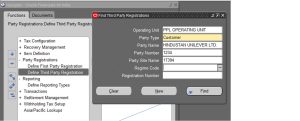
Press New Button enter the Customer Third Party Registration Details.
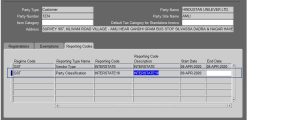
Go to Reporting Code Tab Page -> Assign the Reporting Code INTERSTATE18 to the Customer Site.
Navigation : Oracle Financials for India -> Tax Configuration ->Define Tax Rules
Create a new Tax Rule for Interstate Tax Category.
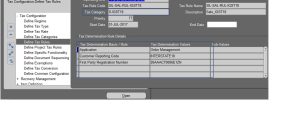
Assign the TAX CATEGORY (S-IGST18) and REPORTING CODE (INTERSTATE18) to the New Tax Rule.
Create the Sales order for the Third party Customer .
Navigation : Order Management -> Sale Order
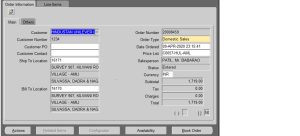
Create Sales Order for the Customer (code 1234 & site name 17394) – Enter the Line Items.
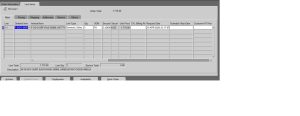
Save the Line Item – Check the Sales order GST Tax Details.
Sales Order Header
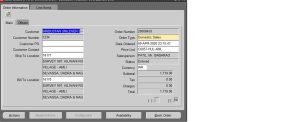
GO TO-> TOOLS -> INDIA TAX DETAILS -> SELECT
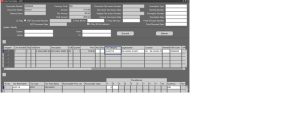
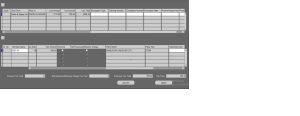
INTERSTATE GST TAX RATE (IGST – 18%) Assign for the Customer Item.
END.
