
REST your EBS data with Oracle RESTful Data Services (ORDS)
Posted by Abishek Kathiresan
Introduction
Here we share that how to REST your EBS data with Oracle RESTful Data Services (ORDS)
APEX and ORDS
- APEX uses Oracle Rest Data Services (ORDS) another built-in feature of the Oracle Database, to create Web services.
- Like APEX, ORDS uses PL/SQL programming language, the same language your EBS developers have been using all along.
- Using ORDS and APEX, your developers can help generate safe, effective REST-enabled Web services for your EBS system.
Lets get into installation
1. Apex Installation:
Apex software version:apex_4.2.4.zip
Create a new tablespace to act as the default tablespace for APEX.
CREATE TABLESPACE apex DATAFILE ‘/u01/app/oracle/oradata/db11g/apex01.dbf’
SIZE 100M AUTOEXTEND ON NEXT 1M;
cd /u01/apex
cp apex_4.2.4.zip /u01/apex
unzip apex_4.2.4.zip
cd apex
connect sqlplus
@apexins.sql APEX APEX TEMP /i/
Once complete, change the admin password by running the “apxchpwd.sql” scripts as the SYS user.
sql> @apxchpwd.sql
Create the APEX_LISTENER and APEX_REST_PUBLIC_USER users by running the “apex_rest_config.sql” script.
SQL> CONN / AS SYSDBA
SQL> @apex_rest_config.sql
2. ORDS Installation:
ords.2.0.10.289.08.09.zip
unzip ords.2.0.10.289.08.09.zip
java -jar ords.war configdir /u01/ORDS
java -jar ords.war
[oracle@dspl1225 ORDS]$ java -jar ords.war
Feb 27, 2018 5:01:31 AM oracle.dbtools.common.config.file.ConfigurationFolder logConfigFolder
INFO: Using configuration folder: /u01/ORDS/ords
Enter the name of the database server [localhost]:129.144.180.26
Enter the database listen port [1521]:
Enter 1 to specify the database service name, or 2 to specify the database SID [1]:2
Enter the database SID [xe]:EBSDB
Enter the database user name [APEX_PUBLIC_USER]:oracle$123
Enter the database password for oracle$123:[oracle@dspl1225 ORDS]$
[oracle@dspl1225 ORDS]$ java -jar ords.war
Feb 27, 2018 5:04:43 AM oracle.dbtools.common.config.file.ConfigurationFolder logConfigFolder
INFO: Using configuration folder: /u01/ORDS/ords
Enter the name of the database server [localhost]:129.144.180.26
Enter the database listen port [1521]:
Enter 1 to specify the database service name, or 2 to specify the database SID [1]:2
Enter the database SID [xe]:EBSDB
Enter the database user name [APEX_PUBLIC_USER]:
Enter the database password for APEX_PUBLIC_USER:
Confirm password:
Enter 1 to enter passwords for the RESTful Services database users (APEX_LISTENER,APEX_REST_PUBLIC_USER), 2 to use the same password as used for APEX_PUBLIC_USER or, 3 to skip this step [1]:1
Enter the database password for APEX_LISTENER:
Confirm password:
Enter the database password for APEX_REST_PUBLIC_USER:
Confirm password:
Feb 27, 2018 5:05:35 AM oracle.dbtools.common.config.file.ConfigurationFiles update
INFO: Updated configurations: defaults, apex, apex_al, apex_rt
Enter 1 if you wish to start in standalone mode or 2 to exit [1]:1
Static Image location need to give Apex images: /u01/apex/images
nohup java -jar ords.war &
Login to Apex Admin Console
1.Create Workspace and assign default schema as apps.
2.Login to workspace as you created .
Ex:
Workspace Name :Mobile
Username : admin
Password : XXXXXXXXX
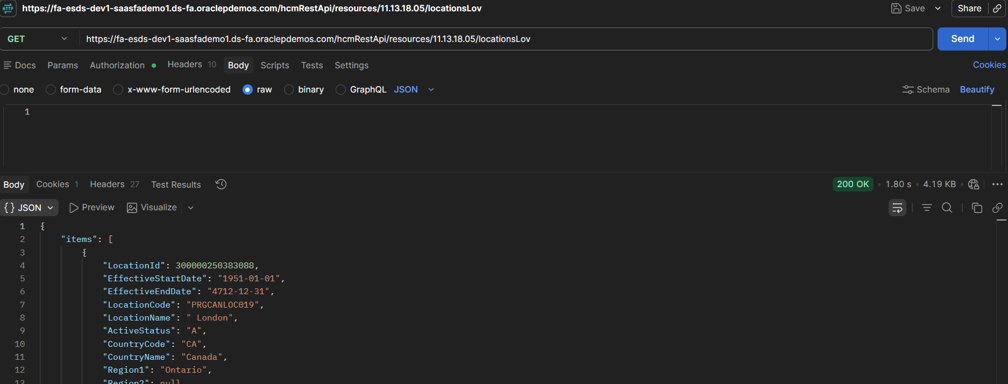
3. Creating the Web Service
Navigation: SQL Workshop > RESTful Services > Create
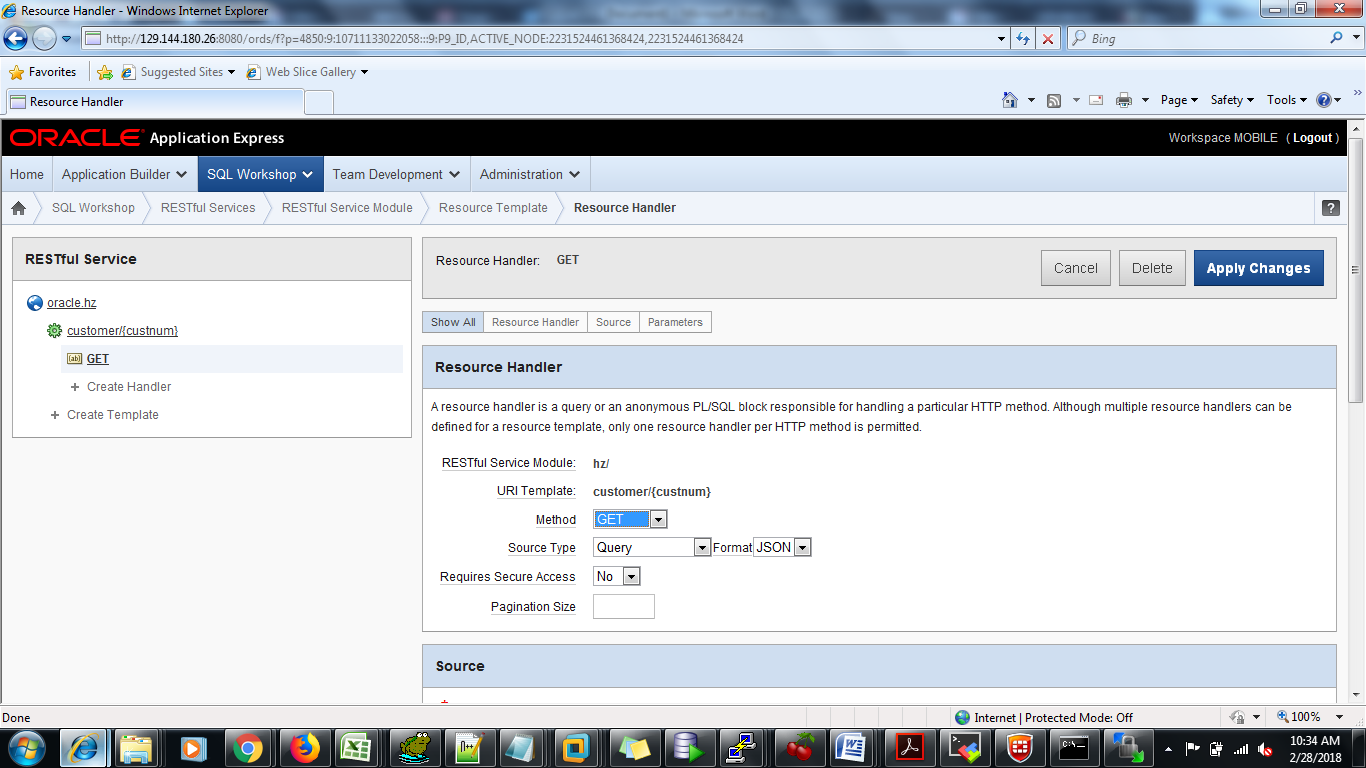
Source
SELECT hca.account_number,
hp.party_name customer_name,
hca.cust_account_id,
hca.object_version_number cust_object_version_number,
TO_CHAR(hca.creation_date,’mm/dd/yyyy’) creation_date,
hca.status,
hca.customer_type,
hca.customer_class_code,
hca.sales_channel_code,
hp.tax_reference,
hp.address1,
hp.address2,
hp.city,
hp.postal_code,
hp.state,
hp.object_version_number party_object_version_number
FROM ar.hz_cust_accounts hca, ar.hz_parties hp WHERE hp.party_id = hca.party_id AND hca.account_number = :custnum
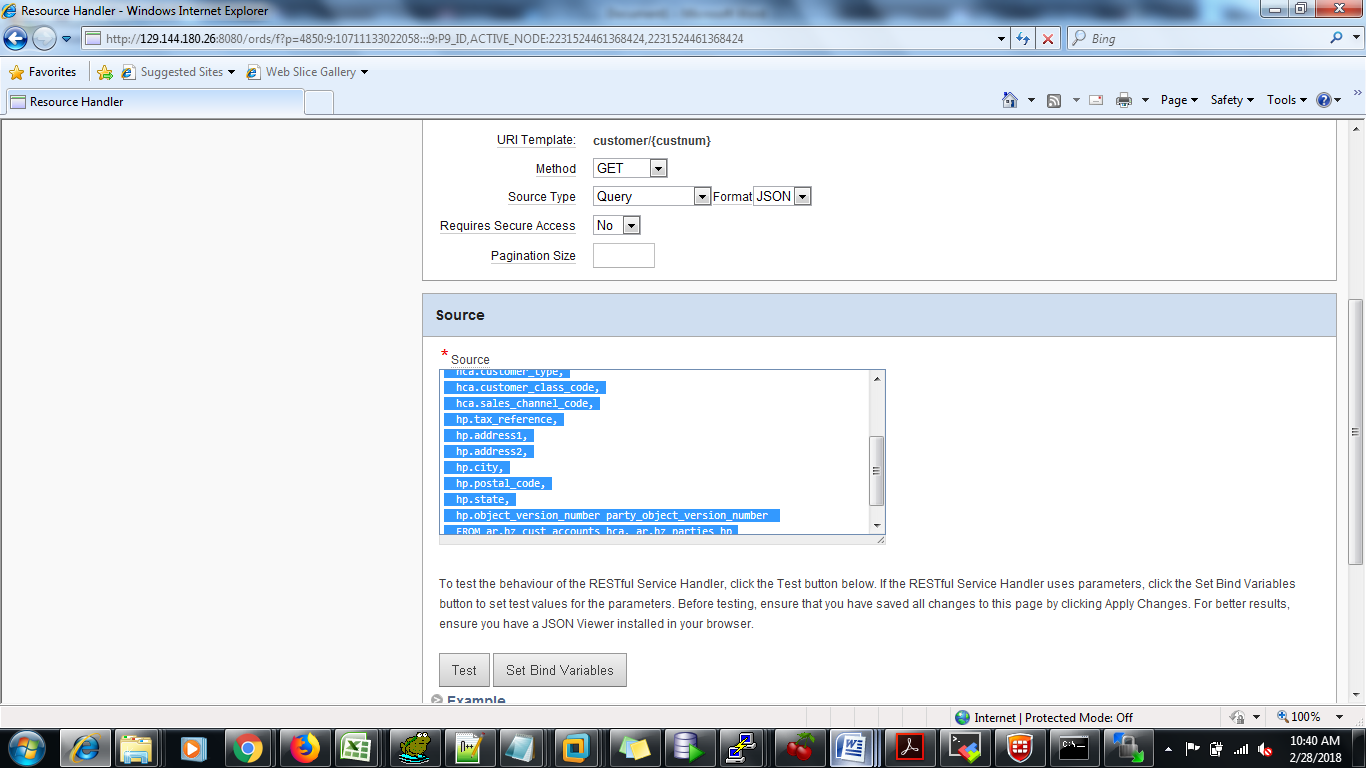
Set Bind Variables
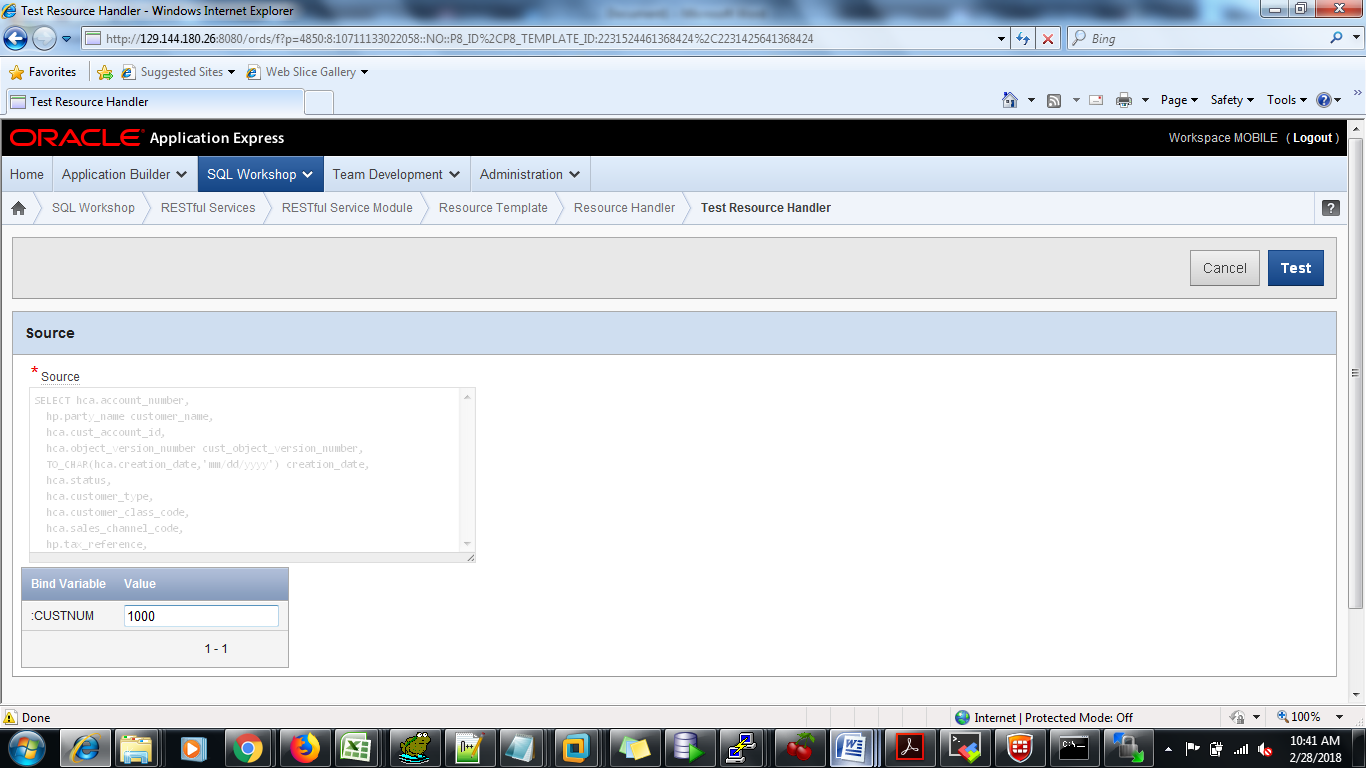
Click TEST