Blog / People and Culture Blog
Oracle APEX Chart Conditional Bar Colors
Overview
This document explains how to to change the chart bar colors based on the conditions in Oracle APEX. I will be very useful when we want some one
Technologies and Tools Used
The following technologies have been used to achieve this in oracle apex.
- Oracle Apex 21.1.
Steps
Follow the below steps to achieve this:
Step 1: Create a new blank page.
Step 2: Create a bar chart region.
Step 3: Do the column mappings.
Step 4: Enable Conditional Bar Colors.
Step 1: Create a new blank page.
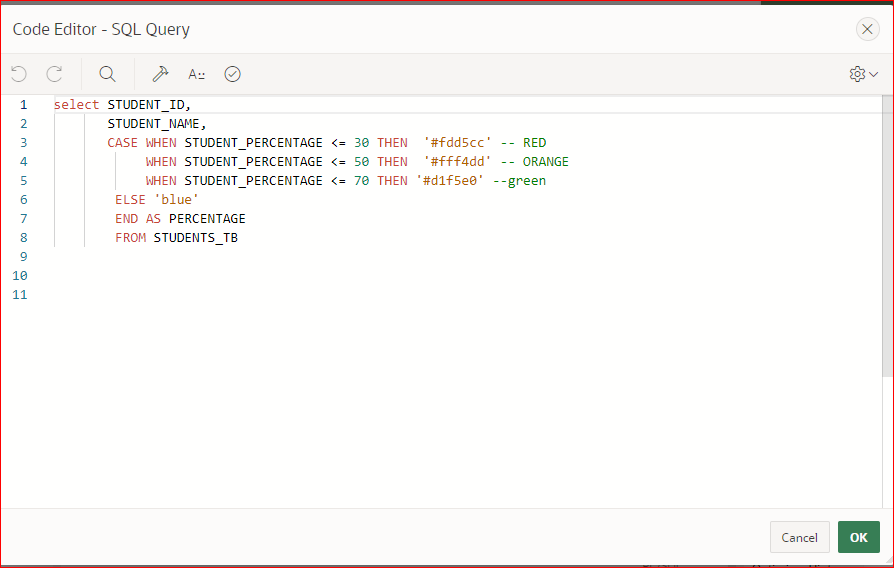
Step 2: Create a bar chart region and your bar chart series query would then look something like this.
SELECT STUDENT_ID,
STUDENT_NAME,
CASE WHEN STUDENT_PERCENTAGE <= 30 THEN ‘#fdd5cc’ — RED
WHEN STUDENT_PERCENTAGE <= 50 THEN ‘#fff4dd’ — ORANGE
WHEN STUDENT_PERCENTAGE <= 70 THEN ‘#d1f5e0’ –green
ELSE ‘blue’
END AS PERCENTAGE
FROM STUDENTS_TB;
Step 3: Do the column mappings. (Label and Value must be mapped)
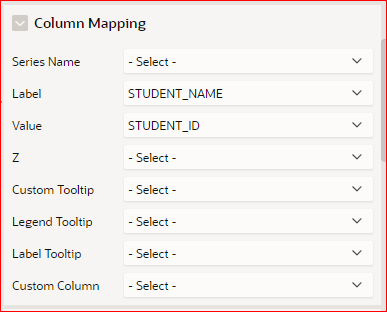
Once you done the above setup, then your bar chart would then look like this.

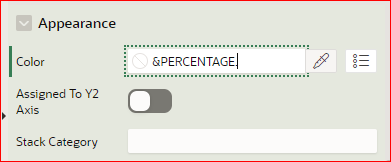
Step 4: Enable Conditional Bar Colors
Click on the chart series and look for the attribute “Color”
(Which you could find under the option “Appearance”) and Substituting your
value using the syntax &COLUMN_NAME.
Hope, this was useful to you.
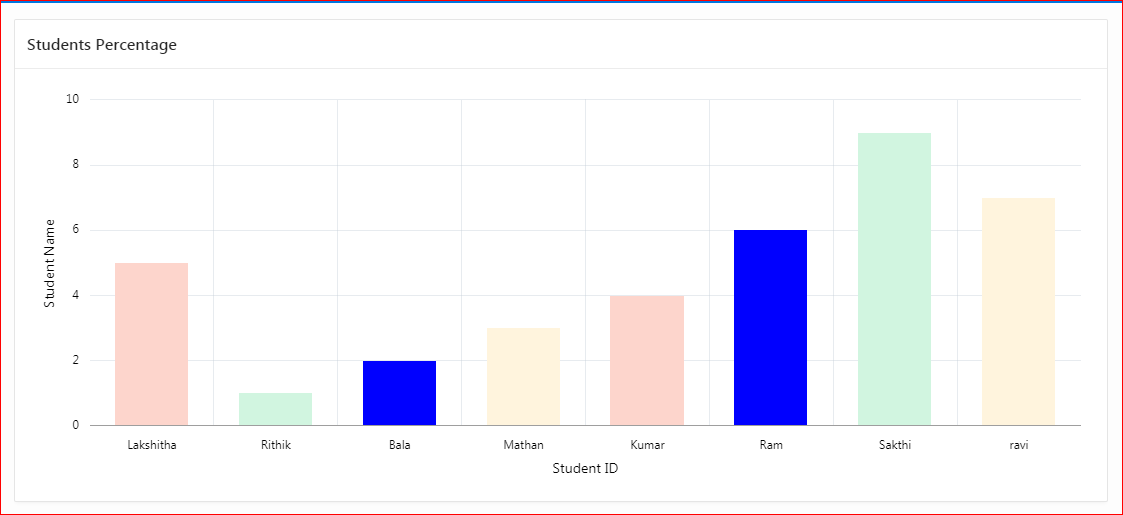
Output: