
JQUERY AUTOCOMPLETE FOR TEXT FIELD ITEM IN ORACLE APEX
Introduction
his process helps to enable the users to quickly find and select from a list of values as they type, searching and filtering without Native text with auto-complete in APEX.
This process works fine with Apex 4 and 5 versions but not 18.
Procedures:
Steps in APEX :
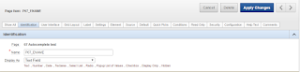
Step 1 : Create a text field item P67_ENAME.
Step 2 : Copy Below code in to the HTML Header of the page.
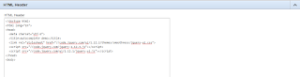
<!doctype html>
<html lang=”en”>
<head>
<meta charset=”utf-8″>
<title>autocomplete demo</title>
<link rel=”stylesheet” href=”//code.jquery.com/ui/1.12.1/themes/smoothness/jquery-ui.css “>
<script src=”//code.jquery.com/jquery-1.12.4.js”></script>
<script src=”//code.jquery.com/ui/1.12.1/jquery-ui.js”></script>
</head>
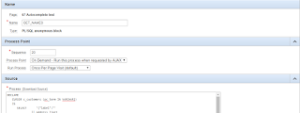
Step 3 : a) Create an Application Process GET_NAMES.
- b) Change the Process Point to On Demand – Run this Process when requested by AJAX.
- c) Copy the Below PL/SQL Code as source.
Note : This Process returns values matching the literals typed in the text field item in the JSON Format.
DECLARE
CURSOR c_names(pc_term IN VARCHAR2)
IS
SELECT ‘{“label”:”‘
|| ename
|| ‘”,”id”:”‘
|| empno
|| ‘”}’ ename
FROM emp
WHERE UPPER (TO_CHAR (ename)) LIKE
UPPER (‘%’ || pc_term) || ‘%’
ORDER BY 1;
l_num NUMBER := 0;
l_term VARCHAR2 (4000);
BEGIN
l_term := apex_application.g_x01;
HTP.prn (‘[‘);
FOR rec IN c_names(l_term)
LOOP
IF l_num != 0
THEN
HTP.prn (‘,’);
END IF;
HTP.prn (rec.ename);
l_num := l_num + 1;
END LOOP;
HTP.prn (‘]’);
END;
ü Step 4 :
- a) Create a dynamic action on change of P67_ENAME (Text Field).
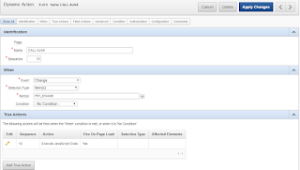
- b) Create a True action as Execute Javascript Code and Check Fire on Page Load. Copy the below code.
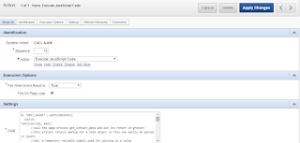
Note : Below Javascript Code calls the AJAX Process whenever user types in the text field and passes the values to the process and displays the values in the textfield.
$( “#P67_ENAME” ).autocomplete({
source:
function(req, add){
//call the page process get_contact_data and put its return in greturn
//this process returns markup for a JSON object so this can easily be parsed in jquery
//x01: a temporary variable simply used for passing on a value
$.post(‘wwv_flow.show’,
{“p_request” : “APPLICATION_PROCESS=GET_NAMES”,
“p_flow_id” : $v(‘pFlowId’),
“p_flow_step_id” : $v(‘pFlowStepId’),
“p_instance” : $v(‘pInstance’),
“x01” : req.term
},
function(data){
if(data){
add($.parseJSON(data));
$(“#P67_ENAME”).removeClass(“ui-autocomplete-loading”);
}
else
{
$(“#P67_ENAME”).removeClass(“ui-autocomplete-loading”);
};
}
);
},
select: function(event, ui){
$(“#P67_ENAME”).val(ui.item.value);
// $(“#P26_EMPNO”).val(ui.item.value);
event.preventDefault();
},
delay: 500,
minLength: 1,
autoFocus: true
});
Summary
The Jquery will automatically convert the text field into the text field with auto complete item.