
Blog / People and Culture Blog
How to Modify an Oracle Database Windows Service?

How we can change some parameters for one database winodws service.
Background:
I have a database called PROD with version 19.3, running on Windows. Its service looks like:
This Windows service was configured with the parameter file:
D:\app\db193\WINDOWS.X64_193000_db_home\database\initPROD.ora
For some reason, I want to change the parameter file to be:
D:\app\oracle\database\initPROD.ora
{Actually, I’m preparing this database to be part of a Fail Safe environment, and I need the parameter file to be located on a shared disk, so as it will be accessible by the database instance on the other node}.
So, how we can do that?
This can be done using the “oradim” utility as follows:
oradim -EDIT -SID PROD –pfile D:\app\oracle\database\initPROD.ora
This will do the job.
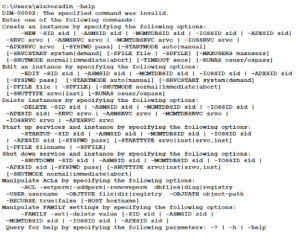
To query about all options available for the oradim utility, use the following command:
oradim -help
Another example, if you want to create a new service for a new database, use the following command:
oradim –new –sid ORCL –startmode manual –pfile D:\app\db193\WINDOWS.X64_193000_db_home\database\initORCL.ora
