
Delete icon Grayed out in AR Transaction
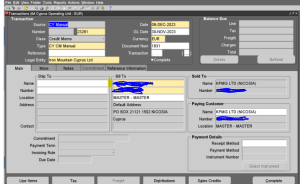
Delete Button Does Not Appears On Transaction Page And Not Able To Delete An Invoice In Receivables
STEPS
———————–
The issue can be reproduced at will with the following steps:
1. Go to Navigator > Receivables > Billing
2. Go to Transactions > Manage Transactions
3. Query the transaction
4. Review the transaction and the “Delete” button does not appear
Solution
To implement the solution, please execute the following steps:
1. Go to Navigator > Setup and maintenance
2. Go to task Tab
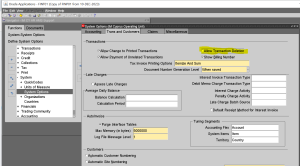
3. Query for Manage Receivables System Options
4. On Manage Receivables System Options, review the options:
– Allow change to printed transactions
– Allow transaction deletion
5. Check those two options
6. Save
7. Retest the issue.
8. Migrate the solution as appropriate to other environments.
Documents
-
Open / Download
delete-icon-grayed-out.docx
Document