
11g RAC :Convert NON RAC database to RAC database using RCONFIG
Introduction
This blog is about converting NON RAC database to RAC database using RCONFIG in 11g RAC
Posted by JAYAKRISHNA
When you navigate through the $ORACLE_HOME/assistants/rconfig/sampleXMLS, you will find two sample XML input files.
– ConvertToRAC_AdminManaged.xml
– ConvertToRAC_PolicyManaged.xml
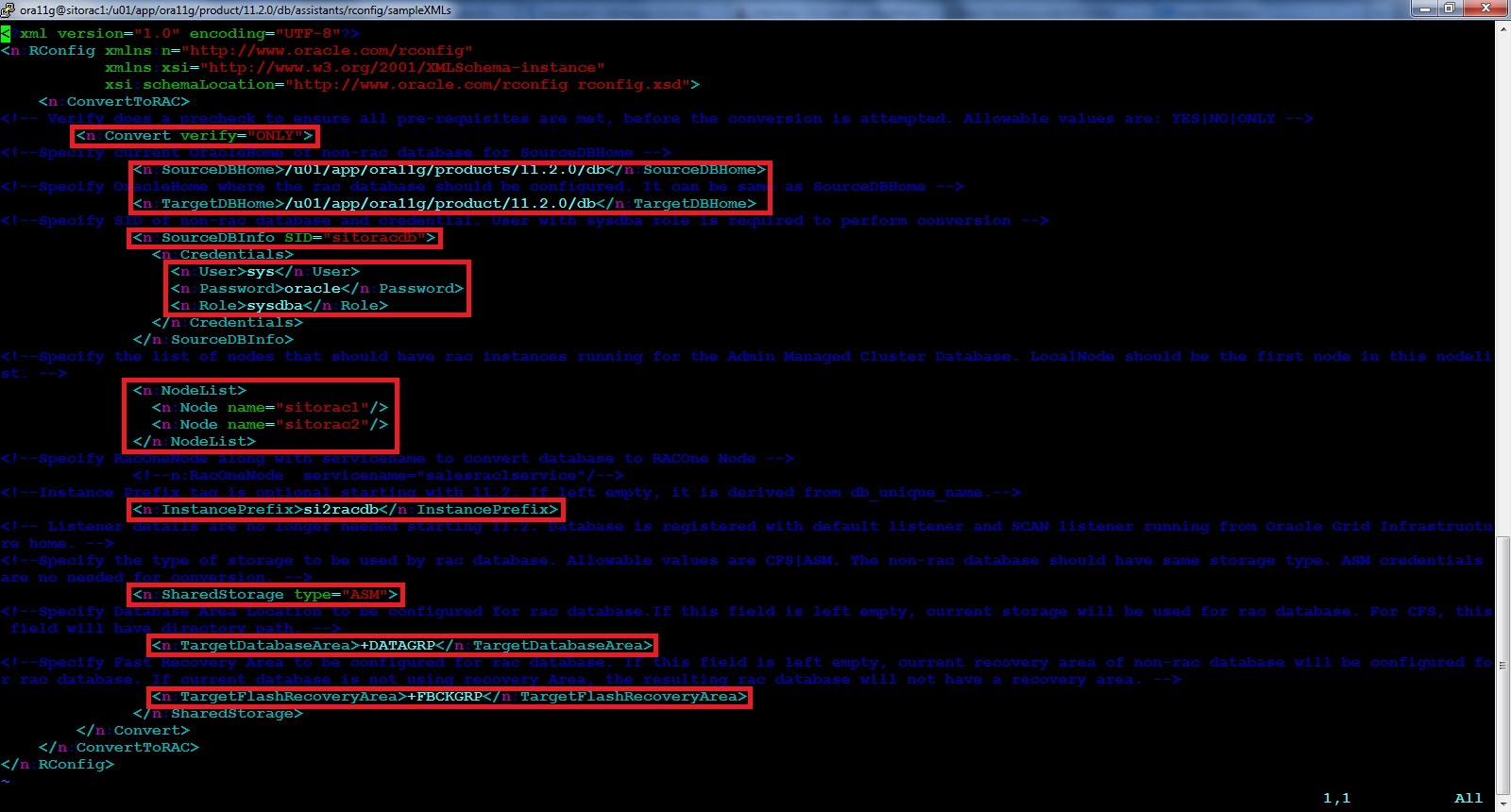
SAMPLE SCRIPT that changes were made in XML file to convert.<?xml version=”1.0″ encoding=”UTF-8″?>
<n:RConfig xmlns:n=”http://www.oracle.com/rconfig”
xmlns:xsi=”http://www.w3.org/2001/XMLSchema-instance”
xsi:schemaLocation=”http://www.oracle.com/rconfig rconfig.xsd”>
<n:ConvertToRAC>
<!– Verify does a precheck to ensure all pre-requisites are met, before the conversion is attempted. Allowable values are: YES|NO|ONLY –>
<n:Convert verify=”ONLY”>
<!–Specify current OracleHome of non-rac database for SourceDBHome –>
<n:SourceDBHome>/backup/PROD/db/tech_st/11.2.0</n:SourceDBHome>
<!–Specify OracleHome where the rac database should be configured. It can be same as SourceDBHome –>
<n:TargetDBHome>/u01/app/oracle/product/11.2.0/dbhome_1</n:TargetDBHome>
<!–Specify SID of non-rac database and credential. User with sysdba role is required to perform conversion –>
<n:SourceDBInfo SID=”PROD”>
<n:Credentials>
<n:User>sys</n:User>
<n:Password>oracle</n:Password>
<n:Role>sysdba</n:Role>
</n:Credentials>
</n:SourceDBInfo>
<!–Specify the list of nodes that should have rac instances running for the Admin Managed Cluster Database. LocalNode should be the first node in this nodelist. –>
<n:NodeList>
<n:Node name=”hostname1″/>
<n:Node name=”hostname2″/>
</n:NodeList>
<!–Specify RacOneNode along with servicename to convert database to RACOne Node –>
<!–n:RacOneNode servicename=”salesrac1service”/–>
<!–Instance Prefix tag is optional starting with 11.2. If left empty, it is derived from db_unique_name.–>
<n:InstancePrefix></n:InstancePrefix>
<!– Listener details are no longer needed starting 11.2. Database is registered with default listener and SCAN listener running from Oracle Grid Infrastructure home. –
->
<!–Specify the type of storage to be used by rac database. Allowable values are CFS|ASM. The non-rac database should have same storage type. ASM credentials are no nee
ded for conversion. –>
<n:SharedStorage type=”ASM”>
<!–Specify Database Area Location to be configured for rac database.If this field is left empty, current storage will be used for rac database. For CFS, this field wil
l have directory path. –>
<n:TargetDatabaseArea>+DISKNAME</n:TargetDatabaseArea>
<!–Specify Fast Recovery Area to be configured for rac database. If this field is left empty, current recovery area of non-rac database will be configured for rac data
base. If current database is not using recovery Area, the resulting rac database will not have a recovery area. –>
<n:TargetFlashRecoveryArea>+DISKNAME</n:TargetFlashRecoveryArea>
</n:SharedStorage>
</n:Convert>
</n:ConvertToRAC>
Note: In the xml file ,
<!– Verify does a precheck to ensure all pre-requisites are met, before the conversion is attempted. Allowable values are: YES|NO|ONLY –>
<n:Convert verify=”ONLY”> ——> this value does only check the pre-requisites.
In order to convert we should specify YES value
<!– Verify does a precheck to ensure all pre-requisites are met, before the conversion is attempted. Allowable values are: YES|NO|ONLY –>
<n:Convert verify=”YES”> ——> this value does the convention from non-rac to rac.